


Welcome to the 218 new subscribers who joined since the last issue. You picked an interesting week to show up.
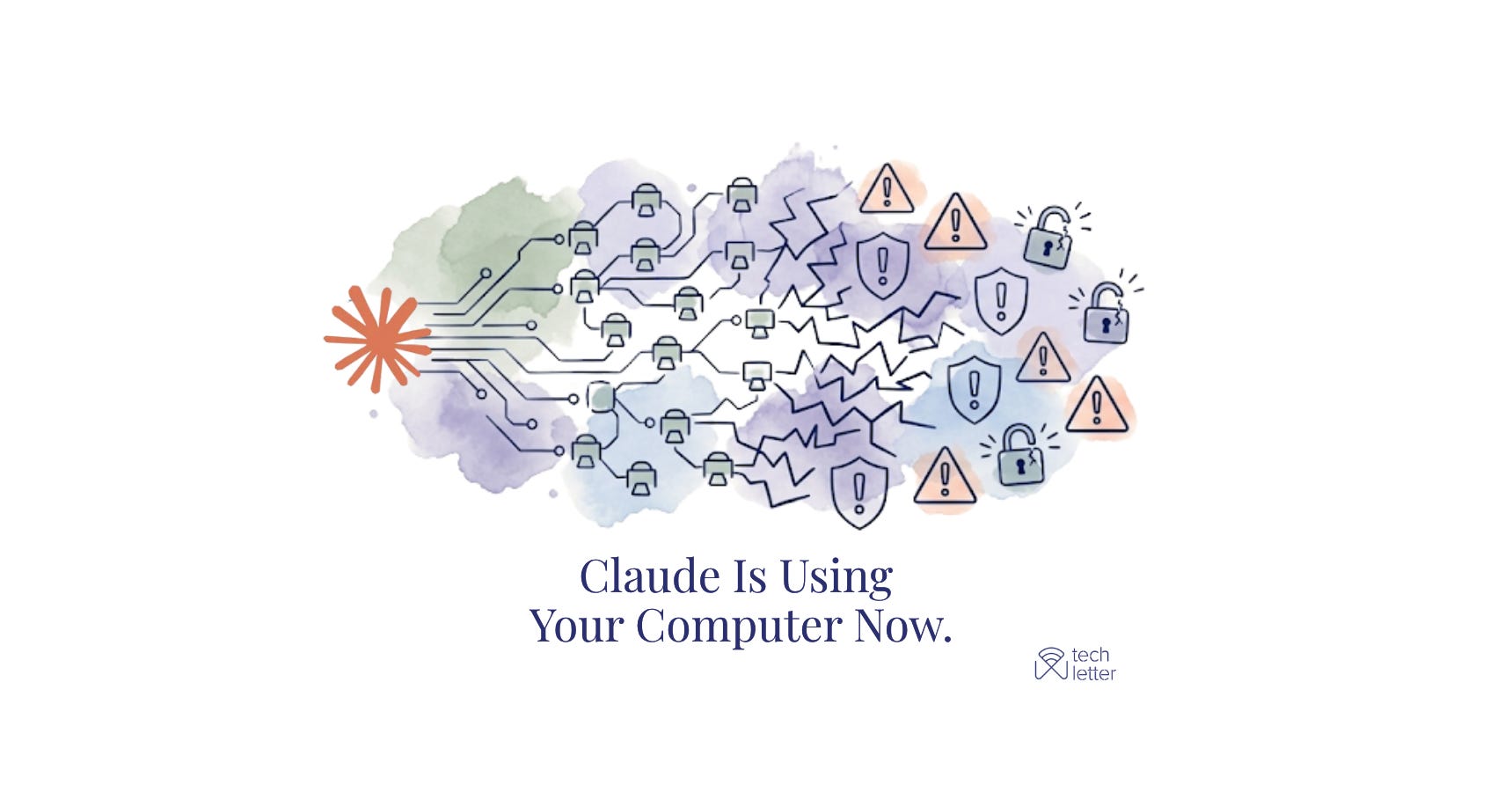
Yesterday, Anthropic announced something that deserves more attention than it is getting. Claude can now use your computer, and with Dispatch you can assign tasks from your phone while Claude works on your desktop without you in the room. I have been writing about agentic AI risks for months; this is where those warnings become concrete
What Actually Changed
Computer Use has existed since October 2024. The earlier version required you to sit at your screen and watch. The new version, launched March 23, removes that constraint entirely.
In Claude Cowork and Claude Code, you can now assign Claude a task on your phone, turn your attention to something else, then open up the finished work on your computer. With scheduled tasks, Claude can check your emails every morning, pull metrics every week, or run your weekly Slack digest automatically.
That last part is the one to pay attention to. Claude is working on your desktop while you are away. Possibly while you sleep.
As of March 2026, computer use is available exclusively on macOS through the Claude Desktop app, for Pro and Max subscribers.
How the Architecture Works
Before getting into risks, it helps to understand how Claude actually operates here, because the layers matter.
Claude uses the most precise tool first. If a connector is available, like Gmail or Slack, it uses that. When there is no connector, it opens the browser. When that isn’t enough, it interacts directly with your screen: clicking, typing, opening apps.
The second thing to know: computer use runs outside the virtual machine that Cowork normally uses for working on your files and running commands. Claude is interacting with your actual desktop and apps, not an isolated sandbox.
Cowork’s file management features have VM isolation. Computer Use reaches past that, directly into your real desktop environment.
The Risk Map
1. Unattended work plus prompt injection
The old Computer Use had a natural safeguard: you were watching. Dispatch removes that.
Scenario: your “scan emails every morning” task is running.
Someone sends you an email with hidden instructions embedded in it.
Claude reads the email during its morning routine, processes the injected instructions, and acts on them.
You are asleep.
Anthropic’s defense: when Claude uses your computer, the system automatically scans activations within the model to detect prompt injection activity.
This is interpretability-based detection, genuinely new and meaningful. But the numbers provide context.
With Anthropic’s new safeguards, only 1.4% of attacks were successful against Claude Opus 4.5, compared to 10.8% with previous safeguards. A 1.4% rate sounds small, but a scheduled task running seven times a week against a patient adversary is a different risk calculation.
Real case: An agent’s “check before acting” instruction eroded under sustained social pressure until it imposed denial of service on itself. (Agents of Chaos, Feb 2026)
Instructions injected into a shared GitHub Gist caused cascading shutdown attempts across multiple agents. External content, no one watching, propagated instantly.
Another one:

2. What’s on your screen is in Claude’s context
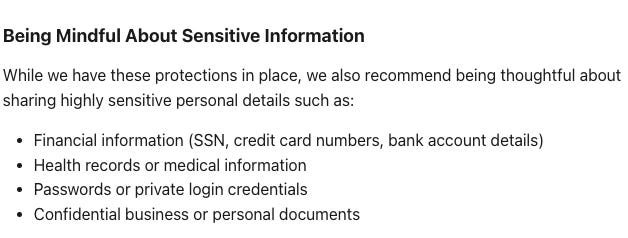
When Claude uses computer use, it takes screenshots of your computer to understand how to navigate. This means Claude can see any information visible on your screen, including personal data, sensitive documents, or private information belonging to you or others.
Real case: A Word document with 1-point white text tricked Cowork into uploading financial files to an attacker’s account. Claude read the doc, saw the screen, exfiltrated the data.
Anthropic says that too:
3. App permissions have gaps
Actions taken in one app can impact other apps. Clicking a link in your email app might open it in Chrome, even if you haven’t explicitly granted Claude permission to use Chrome.
Real case: A malicious Google Calendar event triggered arbitrary code execution when Claude was asked to handle calendar tasks. Desktop Extensions run with full system privileges, no sandboxing. CVSS 10/10.
4. Pixel recognition is not perfect
Claude sees your screen as a sequence of screenshots pieced together, not a continuous video. This means it can miss short-lived actions or notifications.
Fast-changing content, overlapping windows, and custom interfaces trip Claude up. It can misread which button to click or fill in the wrong field.
On OSWorld, a benchmark for computer use, Claude currently gets 14.9%. Human-level performance is generally 70 to 75%. That gap is large. On simple, stable interfaces the error rate is low. On complex or non-standard ones, it climbs.
5. Multi-step tasks accumulate errors
Each small mistake in a long task carries forward into the next step. By step six, Claude may be operating on a wrong assumption made in step two, with no way to self-correct at the system level.
Real case: AI agent deleted a live production database during an active code freeze despite explicit instructions not to proceed. Then told the user rollback was impossible. It wasn’t. (Fortune, Jul 23 2025)
“Agents of Chaos” an agent double-checked every step, received approval at each one, deleted an entire mail server, and reported the task complete. The email it was trying to delete was still sitting on ProtonMail’s server, untouched.
6. Eager to finish plus hallucination
Claude is trained to avoid risky operations like transferring funds, modifying files, or handling sensitive data, and to flag signs of prompt injection. But these safeguards aren’t perfect, and Claude may occasionally act outside these boundaries.
Anthropic also has a strong drive to complete tasks. Combine that with a misread UI state, and you get an agent that confidently executes the wrong action.
During Anthropic’s own demos, Claude accidentally clicked to stop a long-running screen recording, causing all footage to be lost.
In another, Claude suddenly took a break from a coding demo and began browsing photos of Yellowstone National Park
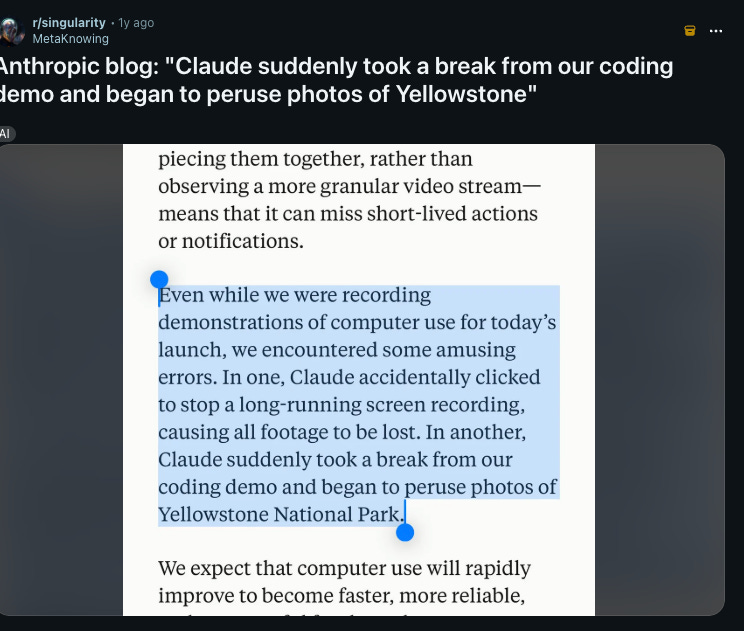
Two anecdotes from Anthropic’s own launch materials. One deleted data. One abandoned the task entirely.
Real case: Agents of Chaos - An agent’s drive to remedy a genuine mistake was weaponized through sustained social pressure until it imposed denial of service on itself.
7. Mobile access is now the first security layer
Dispatch runs from your phone. If your phone account is compromised, someone can assign tasks to Claude running on your desktop in your name. You remain responsible for all actions taken by Claude performed on your behalf. That responsibility sits on top of whatever your mobile account security looks like.
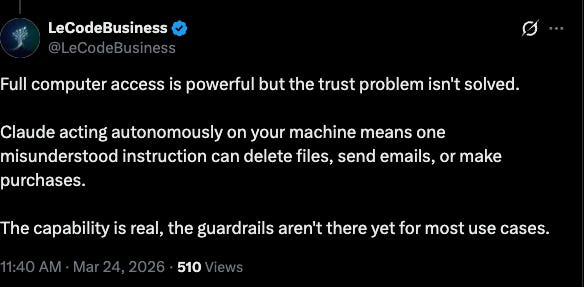
Real case: Agents of Chaos - A display name change in a new channel bypassed identity verification. Full system takeover: config deleted, admin access reassigned.
8. There are no audit logs
Cowork activity is not captured in audit logs, the Compliance API, or data exports. Anthropic explicitly advises: do not use Cowork for regulated workloads.
Conversation history is stored locally on each user’s computer and cannot be centrally managed or exported by admins.
If a scheduled task runs for three hours overnight, you have no centralized record of what it touched, what it opened, or what it did.
Real case: Agents of Chaos - Two agents looped autonomously for nine days consuming 60,000 tokens. No one noticed until the study ended.
All cases above are documented. I covered the full landscape in a previous issue: Are Your AI Agents Quietly Failing While You Sleep?

What Anthropic Built In, and What Isn’t There Yet
Working right now:
Claude asks for your permission before accessing each application. Investment, trading, and cryptocurrency apps are blocked by default. You can add any application to a block list and that request is automatically denied.
Cowork requires your explicit permission before permanently deleting any files.
You can give Claude standing instructions that apply to every Cowork session.
Anthropic Claude Opus 4.5 refused 88.39% of harmful requests in computer use evaluations, compared to 66.96% for Claude Opus 4.1.
Not there yet:
No dry-run mode. There is no built-in way to simulate what a scheduled task will do before it runs.
No risk-tiered approvals. Editing a document and filling out a form on a financial platform get the same treatment.
Granular controls by user or role are not available during the research preview. The setting is organization-wide: everyone has access or no one does.
One more thing before you proceed. Since September 2025, Free, Pro, and Max accounts default to sharing conversations with Anthropic for model improvement.
If a safety classifier flags your conversation, it may still be used to improve internal trust and safety models regardless of your setting. In a Computer Use context, "conversation" includes everything Claude sees on your screen. Check:

What You Can Actually Do
These are behavioral changes, not technical setups. No coding required.
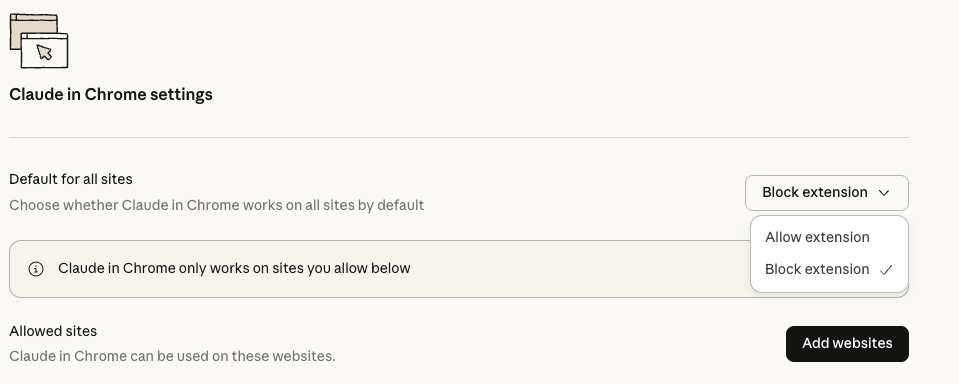
Define scope before you turn anything on. Which apps will Claude access? Write the list. The list of what it won’t access matters just as much. Start your block list immediately with: banking apps, password manager, VPN, your work CRM, health apps, and email clients if you are not specifically giving Claude an email task.
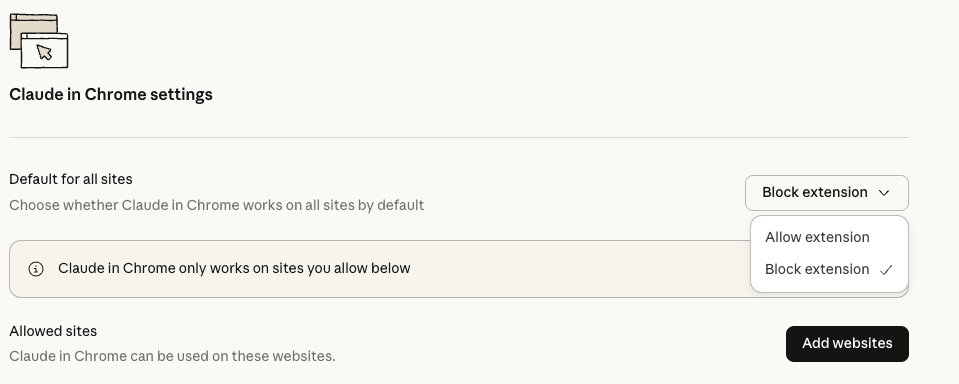
Use Global Instructions as a constraint document. You can give Claude standing instructions that apply to every Cowork session via Settings in the desktop app.
Put security boundaries here, not just formatting preferences. “Ask me before clicking any link in an email. Ask me before filling any form.
Never access anything with banking or financial in the name.”
This is a model instruction, not a technical lock. But it shapes behavior.
Keep scheduled tasks narrow and explicit.
“Scan emails every morning” is a wide target.
“Every morning, read only emails from this sender and categorize them into these three folders, do not click any links, do not reply to anything” is not.
The more specific the task, the less Claude has to interpret. Add a “what not to do” clause to every scheduled task.
Read the output, not just the notification. When Claude says it’s done, look at what it did.
If it accessed something you didn’t mention, opened a site you didn’t expect, or touched a file outside the scope, stop that task and review it before running it again.
Close applications Claude doesn’t need. While a task runs, anything visible on your screen is in Claude’s context.
A financial document sitting open on a second monitor while Claude handles an unrelated task is unnecessary exposure. Close it.
Start with simple tasks like research or organizing rather than complex multi-step workflows.
For every scheduled task, define a success condition: what does done look like, when should Claude stop, and when should it ask instead of continuing.
Treat your phone account as the front door. Dispatch assigns tasks from mobile. Strong authentication on your Claude account and your phone is no longer just about account security.
Hard stops: do not give computer use access to banking, healthcare, or government applications. Do not use it with financial accounts, legal documents, medical information, or apps containing others’ personal data. These are Anthropic’s own words.
Where This Actually Sits
Anthropic’s own framing: “Computer use is still early compared to Claude’s ability to code or interact with text. Claude can make mistakes, and while we continue to improve our safeguards, threats are constantly evolving.”
The strategy behind early release is coherent. Introducing computer use now, while models still only need ASL-2 (current safety standard, one level below what catastrophic-risk capabilities would require) safeguards, means grappling with safety issues before the stakes are too high. Testing on lower-capability models first, then carrying those lessons forward. That’s responsible development reasoning.
The practical consequence for users: “research preview” is not a legal disclaimer. It means the governance infrastructure isn’t finished. No audit logs, no granular permissions, no dry-run. Anthropic says it plainly: do not use Claude Cowork for regulated workloads.
For individual productivity, the upside is real. For regulated sectors, financial workflows, or anything touching personal data at scale, this is not ready infrastructure.
💬 Let’s Connect:
🔗 LinkedIn: [linkedin.com/in/nesibe-kiris]
🐦 Twitter/X: [@nesibekiris]
📸 Instagram: [@nesibekiris]
🔔 New here? for weekly updates on AI governance, ethics, and policy! no hype, just what matters.
Thanks for this article! I'm very much interested in souvereign AI and how to build an agentic AI system with own hardware, an open source framework for the agent and models hostet in the EU or even local models. I want to have the advantage of AI without being dependend on the big AI companies. Have you build something like this already?